尺寸
1.1
MB
Wafer Flyer
LabSpec 6 App for easy and ergonomic characterization of wafers
“Wafer” is a LabSpec 6 application dedicated to the Raman analysis of wafers (up to 300 mm diameter) enhancing the capabilities of the LabRAM Odyssey Semiconductor. ”Wafer” faciltates and speeds up Raman and photoluminescence analysis of semiconductor wafers. The wafer app delivers visual and statistical data ready to use for process optimization, failure diagnostics, and pass/fail decisions.
Key benefits:

Check out our LabSpec 6 Video Resource Center to fully master your LabSpec 6 spectroscopy software!
Intuitive user interface, with all features easily accessible
(49 point sampling pattern shown)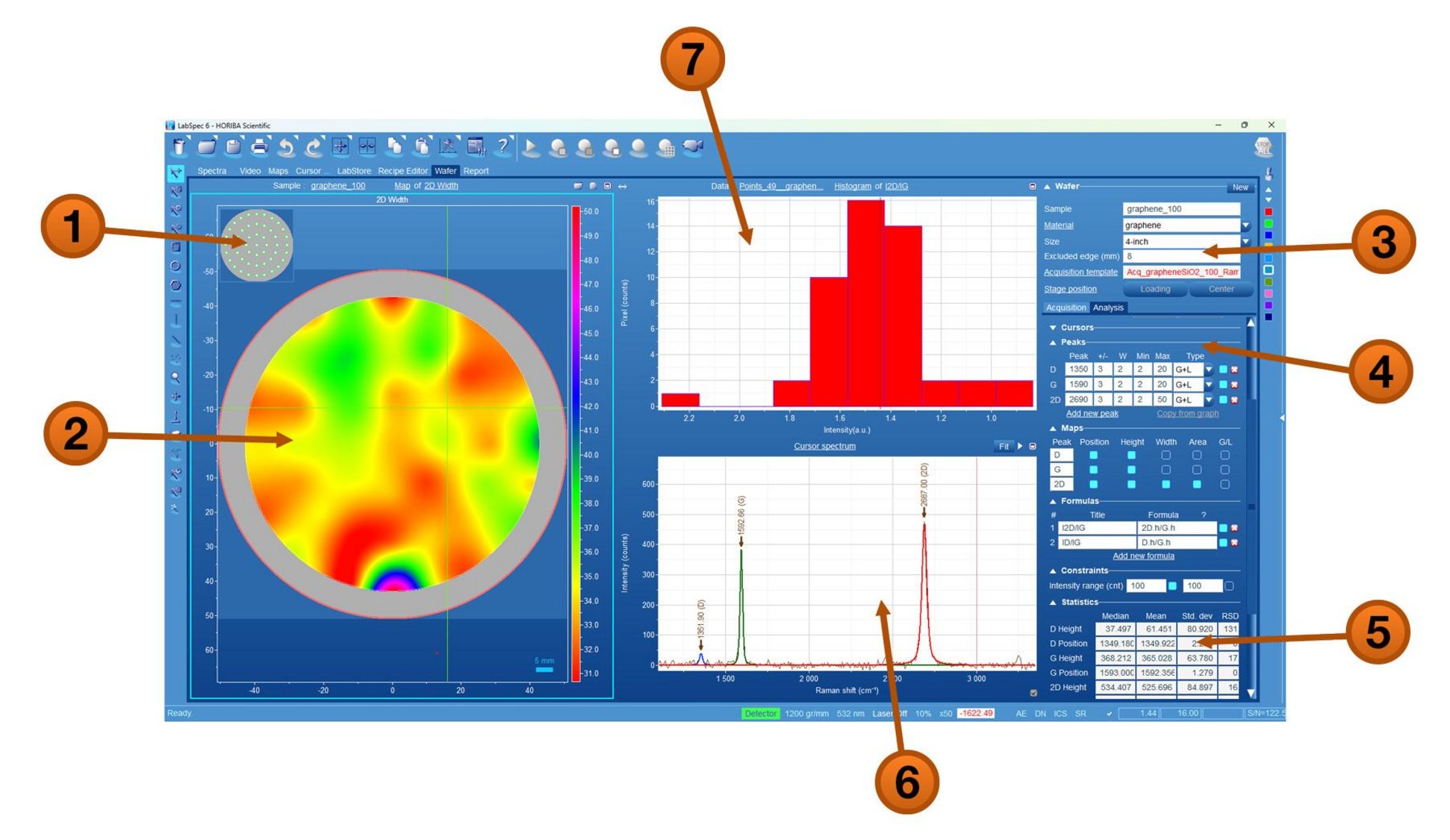
1. Sampling pattern
2. 2D width intensity map
3. I2D/IG width histogram
4. Selected point spectrum
5. Sample definition
6. Acquisition and analysis parameters
7. Statistical table
Instant, customizable reports can be generated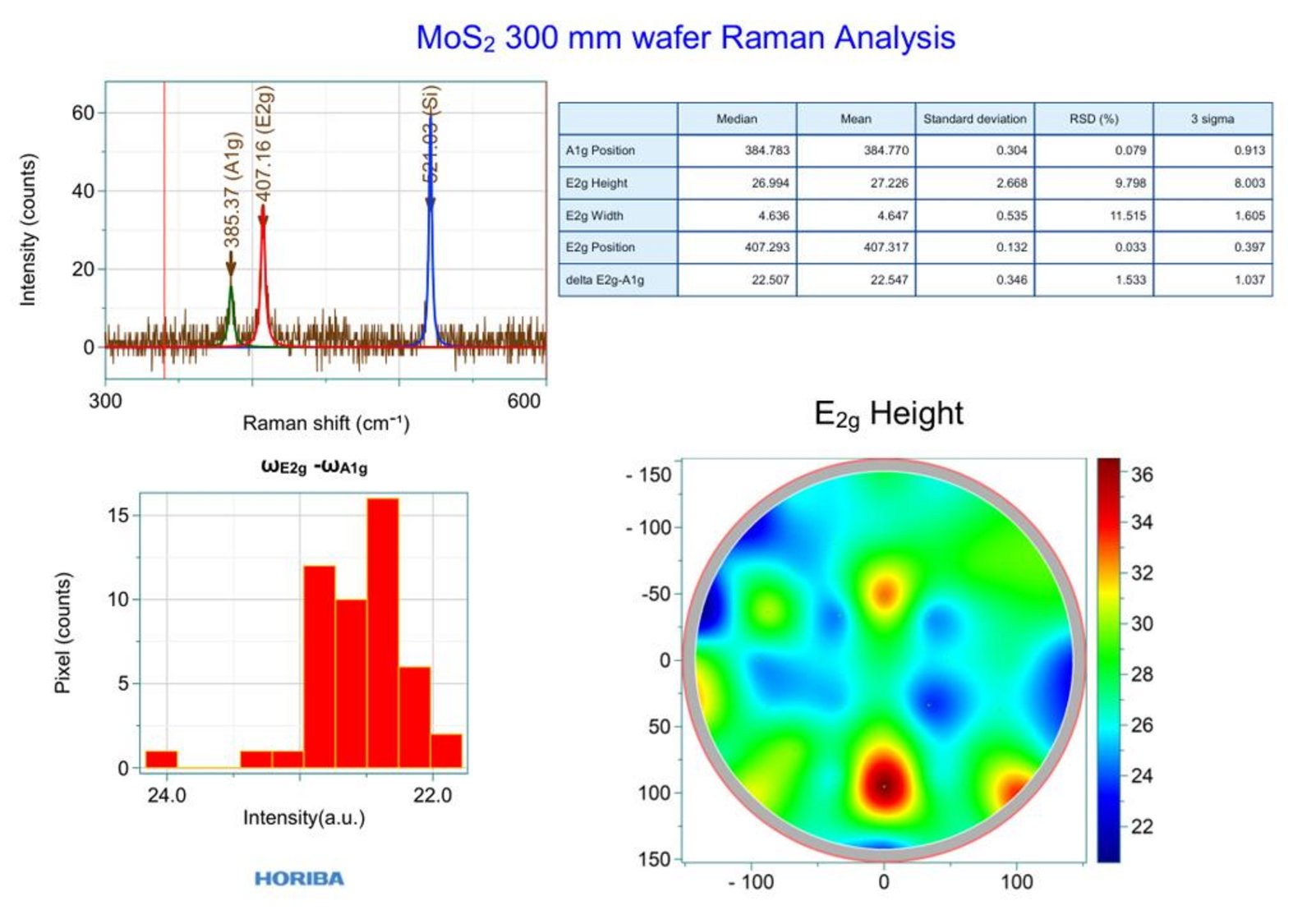
如您有任何疑問,请在此留下詳細需求或問題,我們將竭誠您服務。